We recommend that you upgrade to the latest version of your browser.
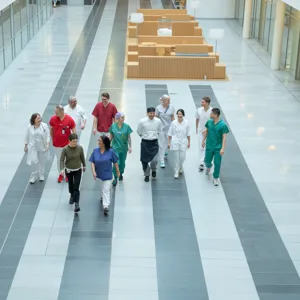
A group of people walking down a walkway

Nyansatt på Ahus

Velkommen til oss i Akershus universitetssykehus! Som ansatt i Ahus er du en viktig brikke i et stort puslespill - sammen er vi "menneskelig nær, faglig sterk". Vi er glade for å ha deg med på laget og på denne siden har vi samlet informasjon til deg som nylig har fått jobb på Ahus og som det er fint å kjenne til før du har din første arbeidsdag.

Lønnsansiennitet

Lønnsansiennitet er et tariffrettslig begrep som brukes ved fastsettelse av lønn for en ansatt. Det betyr at en ansatt kan få godskrevet tidligere relevant yrkeserfaring, utdanning og realkompetanse og skiller seg fra ansiennitet som bare sier hvor lenge en ansatt har jobbet.

Vi har samlet all info om lønnsansiennitet på siden under:

Lønnsansiennitet på Ahus

Annen nyttig informasjon

For positions that require a police certificate, you should use your signed employment contract or framework agreement to apply for the police certificate at politiet.no. It is stated in the job advertisement whether a police certificate is required for the position you are starting. Remember that the police may have a long processing time, so it is sensible to apply as soon as you have signed the employment agreement with us. The police will send you the police certificate electronically, and you will need to send or deliver it to your immediate supervisor. The police certificate must not be older than three months at the time of commencement.

Salary

Salary is paid on the 12th of each month. If the 12th falls on a Saturday, Sunday, or public holiday, the salary will be paid on the last working day before the normal payment date. Employees with a fixed monthly salary receive their salary in advance for the entire calendar month. New employees who start their position after the 5th of the month will receive their first payment the following month.

Gat

Ahus uses the Gat work schedule as a tool for resource and working time planning. In Gat, all salary and absence data must be recorded.

MinGat is a self-service solution for individual employees linked to the resource management system Gat. Here, as an employee, you can view information about yourself, monitor your working hours, overtime, and absences, as well as send requests to your manager regarding holiday, time off in lieu, swaps, overtime, and similar matters. It is in MinGat that you will approve your timesheet, which will be transferred to payroll.

Pay Slips

You can find your pay slips in the Employee Portal.

Through the mobile version of the Employee Portal, you can also access it via the app "Multi Mobil". Here, you can check your pay slip, submit travel expenses, logbook entries, expense reimbursements, update personal information such as email, mobile number, bank account number, additional tax deductions, and information about relatives.

The first time you log in, select "first-time login". Follow the instructions that appear on the screen.

Tax

Sykehuspartner is obliged to deduct the correct advance tax (tax) based on the information provided, while you as an employee are obliged to provide accurate information. Tax information is automatically retrieved from the Tax Administration.

You should check whether the tax information is correct. On skatteetaten.no, you can verify the basis for the calculation of your tax deduction.

Foreign workers must have a valid residence permit for the entire duration of their employment. If you are a newly employed foreign worker (not applicable to students) and are a member of the national insurance scheme in your home country, you must submit an A1 form from the social security office in your home country. If you are not a member of the national insurance scheme in your home country, you must provide written feedback regarding this to Sykehuspartner. You can obtain your tax card and D-number from the Tax Administration: [Service Centre for Foreign Workers - (Skatteetaten.no)](https://www.skatteetaten.no/kontakt/kontor/finn-ditt-skattekontor/ost-norge/oslo-sua2/) You can find more information at UDI: [Immigration to Norway (udi.no).](https://www.udi.no/)

In the staff handbook, you will find guidelines that you must adhere to as an employee at Ahus, as well as other governing documents. These are in place so that both you and your manager know what the regulations are for your employment relationship. For example, this includes rights and obligations if you become ill, or working hours in the position you are employed in.

The staff handbook is organised into various categories to help you find what you are looking for more easily.

You will gain access to the staff handbook once you are employed, and it is available from a personal computer; see the link here.

Staff Handbook - Ahus (compendia.no)

​Før oppstart

When you receive a job offer from us, you will receive an employment contract for signing. If you cannot find this in the email we have sent you, you can log in at: https://signering.posten.no/​ Remember that you must sign both the employment contract and the health form.

Most of your training will take place in the department when you start. Additionally, all new employees must complete central training with competence plans.
 
The competence plans are located in the Competence Portal and consist of several films, e-learning courses, documents, as well as some physical courses on topics such as clinical systems, among others.
 
You can access the Competence Portal up to 30 days before you start your job with us.

E-learning courses in the Competence Portal

Your ID card gives you access around Ahus. As a new employee, you must complete three mandatory e-learning courses before you can receive your ID card:

  • Ahus - Emergency Preparedness
  • Ahus - Fire Safety
  • Ahus - Information Security
Log in to the Competence Portal via ID-porten (for example, Bank-ID) using the link below.
 
 
Under the heading "plans," you will see that you have been assigned "Ahus-All New Employees Part 1 - For all personnel." If you are clinical staff, Parts 2A or 2B may be relevant. In that case, your manager will assign you accordingly.
 
Click on the title of the competence plan, read the introduction, and get started.
 
If you have previously been employed at Ahus, you must retake the e-learning courses mentioned above.

E-learning courses for foreign nationals

Those who cannot log in via ID-porten (foreign nationals) will complete the three e-learning courses in the Learning Portal. Please contact your manager for login details to the Learning Portal and information about this.


Competence Portal

The Competence Portal is a tool that gathers all documentation related to competence development in one place. This means you will be assigned a competence plan that provides an overview of the knowledge, skills, and attitudes you need in your employment.

You can access the Competence Portal via the Dossier Health app, where you will be assigned competence plans that are common to all Ahus employees and your local unit. The competence plans include relevant e-learning courses, links to procedures, and other useful information.

App: Dossier Health. (Competence Portal)


The day after the e-learning courses have been completed, you can visit the service centre to collect your ID card. If you are based at Nordbyhagen or Kongsvinger, most people tend to do this on their first working day.
 
If you work at other treatment locations, you will need to travel to Nordbyhagen. Please contact the main reception, and they will guide you to the service centre.
  • All ID cards are produced and issued in person:
    • Ahus Nordbyhagen and other treatment locations: the service centre in the tunnel (beneath the hospital) after 10:00. The service centre is open on weekdays from 07:30 to 15:30. Please approach the main reception at the main entrance for assistance in reaching the service centre.
    • Ahus Kongsvinger: the service desk on the ground floor of Kongsvinger Hospital.
  • Remember to bring valid identification (bank card with photo, driving licence, national ID card, or passport).
  • ID cards require a photo; the service centre will take your photo upon arrival.
  • If you need access to e-prescriptions or the core journal, a passport or national ID card is the only valid form of identification.
  • Remember: the card must be carried at all times. The card is personal and must never be lent to anyone.
If you have any questions regarding ID cards, you can contact servicesenteret@ahus.no or call 67 96 81 00.

As a new employee, you must complete three mandatory e-learning courses before you can receive your ID card. The ID card provides access throughout Ahus.

Log in to Kompetanseportalen via ID-porten (for example, Bank-ID) using the link below:

Kompetanseportalen (dossier.no)

Under the heading “planer” (plans), you will see that you have been assigned “Ahus-Alle Nyansatt Del 1- For alt personell” (Ahus-All New Employee Part 1 - For all personnel). If you are clinical staff, it may be relevant to complete Part 2A or Part 2B. Your manager will assign this if applicable.

Click on the title of the competence plan, read the introduction, and get started.

For foreign nationals who cannot use ID-porten for login, the three e-learning courses are conducted in Læringsportalen (Learning Portal). Please contact your leader for login information to Læringsportalen.

Første arbeidsdag

Første arbeidsdag er det viktig at du registrerer og sjekker at følgende opplysninger i Personalportalen er korrekt:

  • kontonummer
  • telefonnummer
  • opplysninger om pårørende
  • eventuelle barn (med fødselsdato)
  • bierverv (om du ikke har bierverv skal det også registreres)

Personopplysningene dine skal alltid være oppdatert så lenge du er ansatt ved Akershus universitetssykehus. 

Kvinne foran data snakker med et annet menneske som har ryggen mot kamera
Første arbeidsdag må du sjekke at opplysningene dine er registrert korrekt i Personalportalen.

Praktisk informasjon​​

Du finner mye god informasjon på intranettet vårt, MittAhus. Før du får tilgang der kan informasjonen under være fint å kjenne til i forkant av første arbeidsdag. 

All employees wishing to use the staff parking at Ahus Nordbyhagen and Kongsvinger Hospital must register via the form on MittAhus. You will not have access to the form until you have received your ID card and logged onto a PC to apply for parking through the form.

On your first day, you must:

  1. Park in the reserved spaces for staff upon arrival. Ask your manager to send you the overview map of the parking areas available on the Ahus intranet (MittAhus) if you have not already received it.
  2. Collect your ID card from the service centre, as this will grant you access to the MittAhus intranet.
  3. Log in to MittAhus, find the topic page "parking" and the application form. Submit your application. Note: applications will be processed no earlier than the same day around 12 o'clock.
  4. Register your vehicle, or vehicles, in Sesam Fordeler before departure. Use the link or scan the QR code on the signs and posters in the parking area. Sesam Fordeler (sesam-sesam.no).
  5. You will be assigned a rate after your application has been processed (high or low), and this will be calculated automatically upon departure from the parking area - this applies to both manual purchases in the app and number plate recognition.

Note: As a new employee, you do not have an active parking agreement, so you risk paying the regular visitor rate (not the employee rate) on your first day, depending on how quickly your application is processed. Ahus cannot guarantee a parking permit on your first working day, or availability for all employees.

An overview of parking areas and visitor rates can be found on the following pages:

Ahus is a large enterprise, with several hospitals and other buildings outside our hospital areas. All sections about departments, locations, or treatments include a paragraph with "Practical information". Departments at Ahus Overview map [Nordbyhagen](https://example.com) [Kongsvinger Hospital](https://example.com)

Workwear must be worn by all staff involved in patient-facing roles, handling patient equipment, or working in laboratories.
  • The workwear at Ahus consists of a short-sleeved top and trousers, possibly a coat.
  • Skin must be bare from the elbow down. This means no rings, watches, bracelets, or similar items.
  • Natural nails should be kept short without nail polish or artificial nails.
  • No earrings or visible piercings.
  • Long hair must be tied back or secured.
  • Personal hijabs are not permitted; Ahus's headwear is part of the workwear.
  • Socks must be worn with shoes.
  • The key lanyard should be attached to the breast pocket of the workwear.
  • Personal clothing under the workwear must not be visible.
  • Green attire should only be worn in the central operating theatre (SOP) and day surgery department (DKA).

Collecting Clothing

Ahus Nordbyhagen

You can collect workwear from the clothing vending machine just inside the staff entrance in U1.

When you collect your ID card at the service centre, you will also select your size for the workwear. The workwear is collected by scanning your ID card. You will be allocated three sets of workwear. To receive new workwear from the vending machine, it is necessary to return the soiled workwear.

Outside the clothing vending machine, there are lockers with clothing that cannot be collected via the machine: maternity wear, hijabs, hospital pharmacy items, and occupational therapy clothing.

If you work in New North (NN), you should collect clothing from the clothing room in NN U2.

Ahus Kongsvinger

Staff clothing can be collected in plan U, room 123. All sizes are available in stock.

Perfume

All staff at Ahus should avoid using perfume, perfumed creams, aftershave, and similar products, in consideration of patients, colleagues, visitors, and other users who may have hypersensitivity reactions.

You will be provided with workwear to be used in accordance with the applicable guidelines at the hospital, if relevant. You will receive information about the changing facilities and further details from your immediate supervisor.

We use the GAT tool for work schedule planning and electronic duty logging. Here you will find, among other things, an overview of working hours and tasks.

You can download the Visma GatGo app on your mobile phone by scanning the QR code in MinGat when you are logged into an Ahus PC.

Icon

In the Personal Portal, you will find an overview of your employment relationship, payslips, holiday, and more. You can download the Multi Mobil app to your phone; search for Multi Mobil.


Last updated 8/22/2025